
Amazon Virtual Bundles have been available to Fulfilment by Amazon sellers since late 2020. Originally only available in the US as part of their initial launch, Virtual Bundles are now available to EU sellers. Here’s what you need to know.
What are Amazon Virtual Bundles?
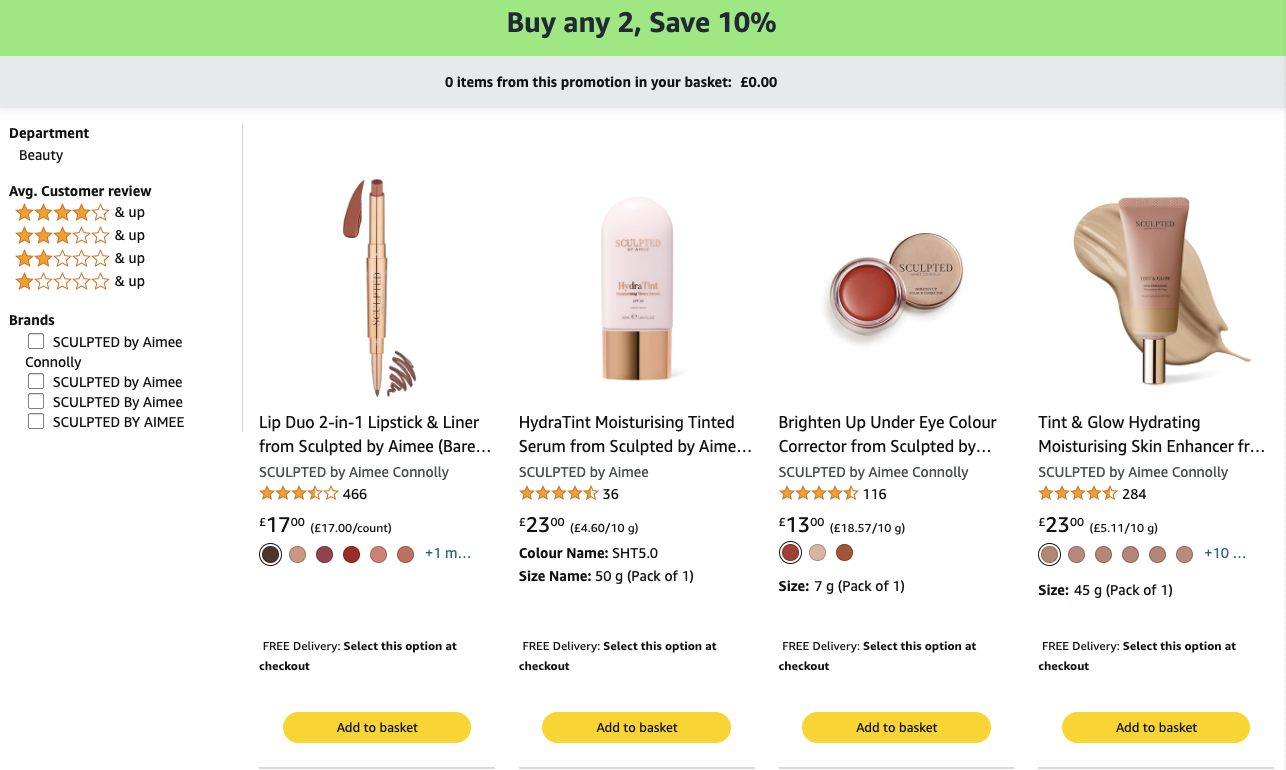
A Virtual Bundle allows sellers to create a bundle of 2-5 items from their existing product range to sell to customers from a single detail page. They’re a great way to upsell your products by recommending complementary items. Sellers can offer discounts on items purchased together, improving your sales and your brand recognition. The products still have their own individual listings, but bundles create a new listing where customers can purchase everything in one place. It’s all about creating an easy customer journey.
The good thing is sellers don’t have to package the items together or change their Fulfilment by Amazon inbound inventory to create bundles. The items will still be shipped as individual components, meaning fulfilment fees also stay the same. This makes Virtual Bundles a great marketing tool.
Who can create Amazon Virtual Bundles?
This feature is only available to sellers who have a brand representative role assigned to a brand in the Brand Registry. If you don’t have access to this feature, it means you’re not identified as a brand representative. Go to the Brand Benefit Eligibility page to identify as a brand representative so you can gain access to virtual product bundles and other brand-exclusive benefits. It’s also worth noting that bundles work best with Firefox or Chrome.
How do I create one?
Head to the Virtual Bundles page under the Brands heading on your menu to create a new bundle. Simply choose 2-5 products from your existing active inventory and create a new listing. You’ll need to choose one item as the main component. Whichever one you choose will determine the search keywords and categorisation of the bundle. We suggest choosing the ASIN with the highest traffic or highest average selling price. The main component cannot be changed once a virtual bundle has been created. If you need to change it, you’ll have to delete your bundle, wait 24 hours and re-create it.

Once created, you’ll be able to edit the bullet points, description, price and images as needed.
Eligibility
Products must meet the following requirements.
- ASINs must belong to a brand that you own and that is registered in the Brand Registry.
- ASINs must have active Fulfilment by Amazon inventory in the “New” condition.
- Virtual product bundles can only be created in the EU Amazon store.
The following items cannot be included in virtual product bundles:
- Gift cards
- Electronically delivered products (such as digital music, video and books)
- Renewed or used ASINs
- Number of ASINs
- Multi-packs and “multi-box” items (single ASINs that ship in parts in multiple boxes)
For example, 2 x red pens cannot be a bundle as there is only one ASIN. 2 x red pens and 2 x blue pens can be a bundle as there are two unique ASINs. If you want to include multiple units of an ASIN in your Virtual Bundle, simply adjust the quantity when creating your bundle.

Another thing to note is that as Virtual Bundles have their own listing, it will have separate reviews and ratings. That means that any reviews on the existing listings for the individual items will not be carried over to your bundle. A shame if they’ve got lots of excellent reviews of course, but nothing that can be helped unfortunately!
Pricing your Virtual Bundle
You can either price your bundle to the total of the products included, or you can offer a discount to encourage customers to buy more items. The most successful bundles typically offer discounts. Virtual Bundles will rank organically in the search results, but you can also promote your bundle using Sponsored Brands ads and Sponsored Products.
If you decide to change the price of an individual item in the future, you’ll need to remember to adjust your bundle prices accordingly. Amazon won’t automatically update prices within your bundle page as it’s a separate listing, so it’s your responsibility to keep things updated.
So those are the basic things you need to know about Amazon Virtual Bundles. If you’d like to find out more, head to ‘Amazon Virtual Bundles explained‘, or alternatively get in touch with our team for some advice and guidance.